Moving from Maple
Maple shuts down on December 31, 2026.
Maple is closing on December 31. Here's how to move your family.
If your family's schedule lives in Maple, you have until the end of the year to get it out. Start with the checklist below, whichever app you choose next. Then, if your kids live across homes, here's what Luraio can take and a walkthrough that takes about ten minutes.
What's happening
Maple was acquired by Wander, and the app shuts down on December 31, 2026. In Maple's own words: All data will be deleted and there will be no way to recover it once Maple is officially shut down.
Your data stays available in Maple until then. Annual subscriptions won't renew, and monthly ones stay active until the end of December. Maple's notice is on its homepage at growmaple.com.
Maple helped a lot of families. If you're looking for somewhere to go next, here's an honest look at Luraio.
Save these before December 31
This is worth doing whichever app you pick next, or if you pick none. Once Maple shuts down, it can't be recovered.
- Your calendar. If Maple was connected to Google or Apple Calendar, your events are already there, and you can export them as a file (step 1 below). If it wasn't, we couldn't find a way to export a calendar from Maple itself. Copy the events you need into Google or Apple Calendar: upcoming appointments, school dates and anything that repeats, like practices and lessons.
- Your lists. Grocery lists, to-dos and chores. Screenshot them or copy them into your phone's notes app.
- Recipes and meal plans. Copy the ones you cook again into your notes, or save the original web pages.
- Documents and photos. Download anything you uploaded, like school forms, permission slips and medical paperwork, and save it to your phone or computer.
- Contacts. Make sure the pediatrician, the school office, coaches and sitters are in your phone's contacts, not only in Maple.
- The forwarding address. If school emails were forwarded to a Maple address, change that forwarding before December 31, so school emails don't vanish.
Maple's own help pages are the best guide to what it can export. We've only described what we could check from the outside.
Is Luraio the right next step?
If your kids live in one home
Maple was a general family organizer, and so are Cozi and FamilyWall. If you mostly used Maple for groceries, meals and one household's calendar, one of those will probably feel more familiar. Here's an honest look at nine apps.
If your kids live across homes
That's what Luraio is built for: your year worked out from the parenting plan, swaps by link, handoffs that don't forget the cleats, and each kid's details in one place. It works with just you.
What carries over today
Your calendar, from a file
Export your calendar from Google Calendar or Apple Calendar as an .ics file and bring it into Luraio. You see every event before it comes in, and for each one you pick the kid and where it belongs. Events that aren't about the kids, like a work standup, stay out.
Your school-email inbox
You get your own forwarding address. Forward a school email to it and it lands in your Inbox, ready to file under the right kid. If you liked Maple's school inbox, this is the same idea.
Your data, whenever you want it
Take everything out at any time from Settings → Your data: your calendar as .ics, lists as .csv, and the whole account as .json. You won't be stuck again.
What doesn't carry over
Luraio is about the kids, so it doesn't keep household lists like groceries, and it doesn't do meal planning. If you used Maple for those, you'll want a separate list app alongside Luraio. Luraio also can't read Maple's own lists or documents, so the calendar and school email are the parts that move.
Moving in about ten minutes
These screens show Luraio's made-up sample family, not a real one.
-
1About 2 minutes
Export your calendar
If your Maple calendar was synced with Google or Apple Calendar, your events are there too. Export them as a file:
- Google Calendar on a computer: Settings → Import & export → Export.
- Apple Calendar on a Mac: File → Export → Export…
You'll get a file that ends in .ics. Keep it handy for step 3.
-
2About 1 minute
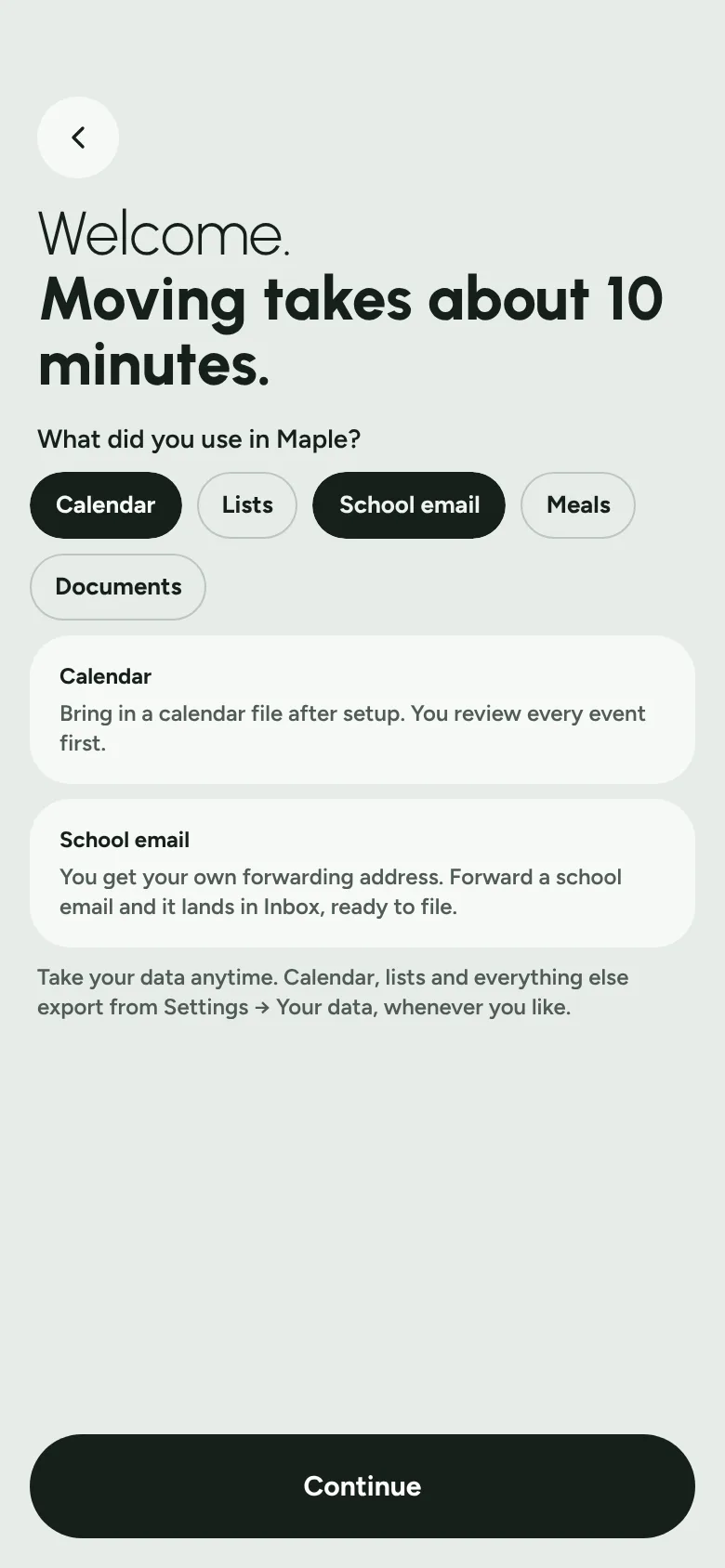
Start with "Coming from Maple"
Open Luraio from this page and it starts with a few questions about what you used in Maple. Tap each one and Luraio tells you where it lives now, or says plainly that it doesn't, as with meals.
-
3About 4 minutes
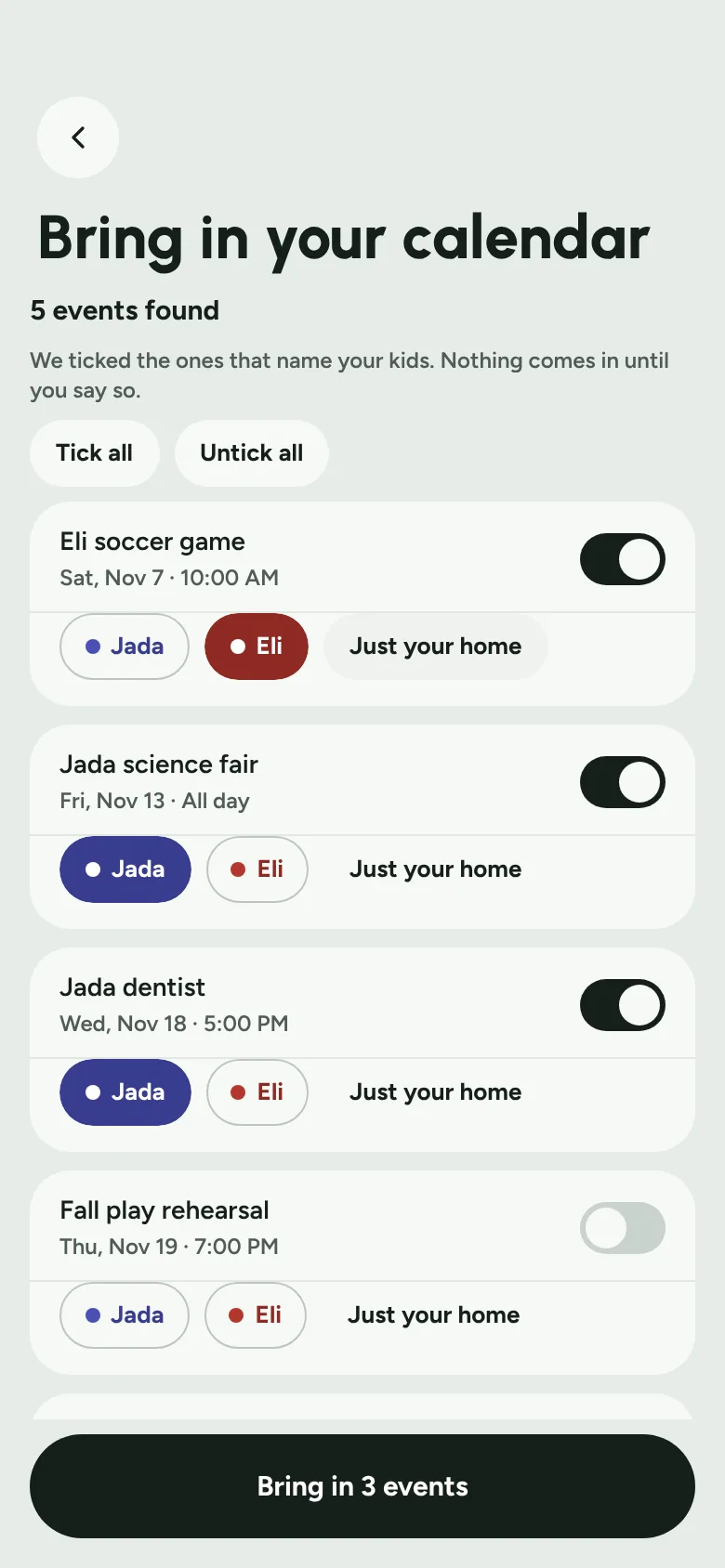
Bring in your calendar, one look at a time
Choose your .ics file and how far ahead to bring in. Luraio ticks the events that name your kids, so you only have to check them. Pick the kid for each one, and whether it's just for your home. Nothing comes in until you say so.
-
4About 2 minutes
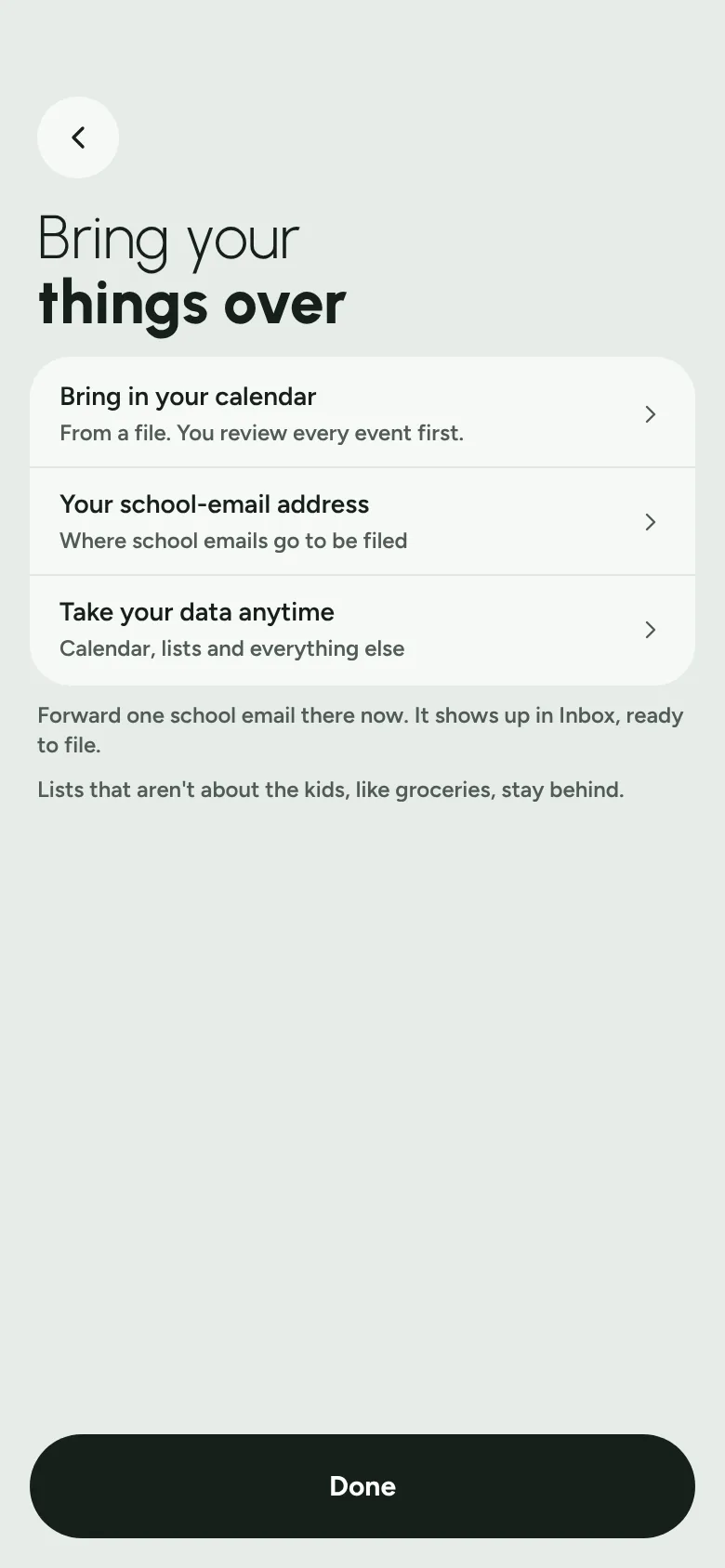
Set up your school email
From "Bring your things over," copy your forwarding address and forward one school email to it now. It shows up in your Inbox, ready to file. After that, add the address wherever school emails come from.
-
5About 1 minute
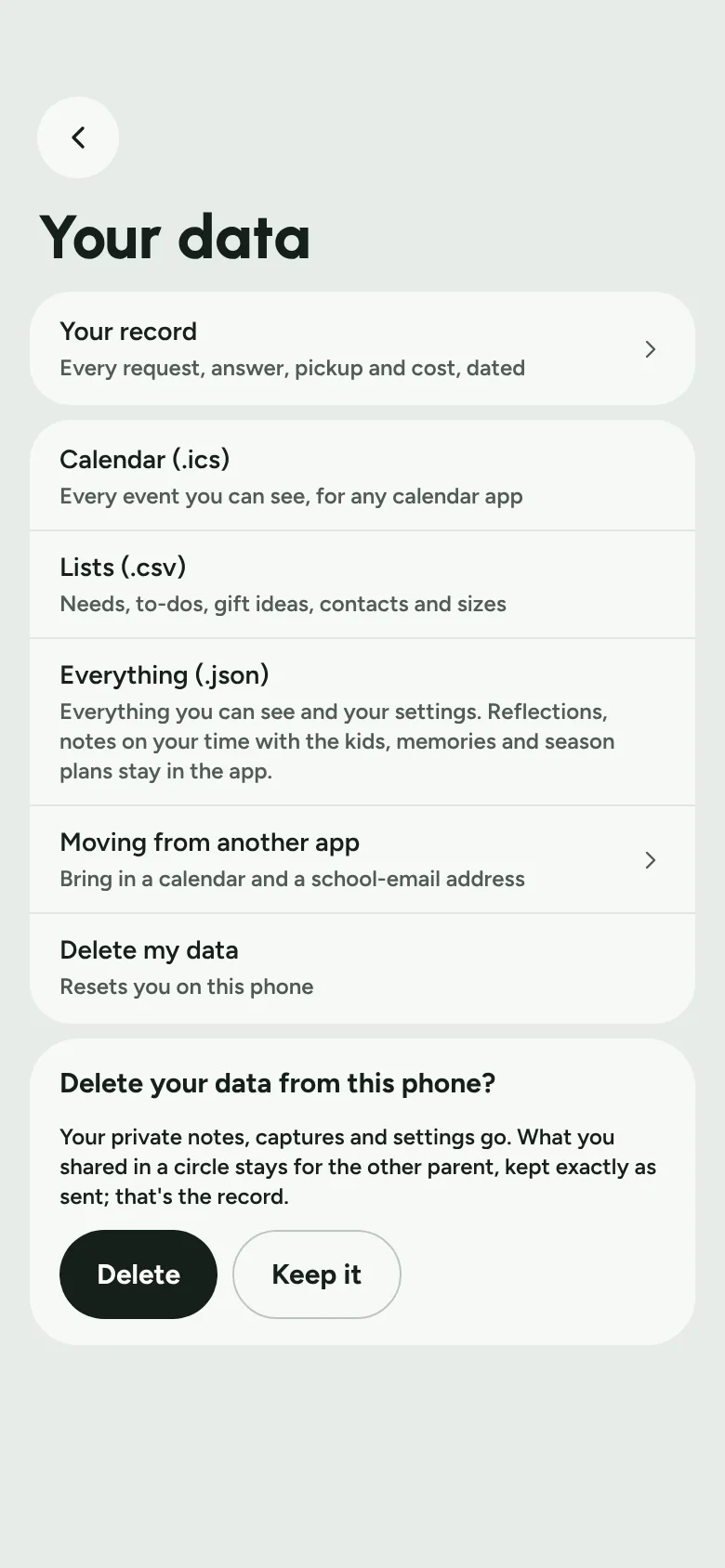
Know where the exit is
Settings → Your data has your whole record, your calendar, your lists and everything else, ready to download whenever you like. It's there from the first day.
If your kids live in more than one home
This is where Luraio goes further than a family organizer. It's built around the plan your kids actually live by.
Your year, already worked out
Tell Luraio the pattern, like every other weekend or a 2-2-3, and it lays out your year with holidays and summer weeks included.
Swaps without a long text thread
Ask the other parent for a change by link. They can answer without an account, and you see what a swap means for your home before you send it.
Pickups that don't forget
A packing list for each handoff, built from the days ahead, plus what's still at the other house.
Your home stays yours
Nothing about your home reaches the other parent unless you send it. Partners, grandparents and sitters each see only what they need.
Move your family before December 31.
Luraio is in a private beta. Leave your email and we'll send your invite as soon as there's room.
Set up your home in about ten minutes. You don't need the other parent to start.